onboarding a project
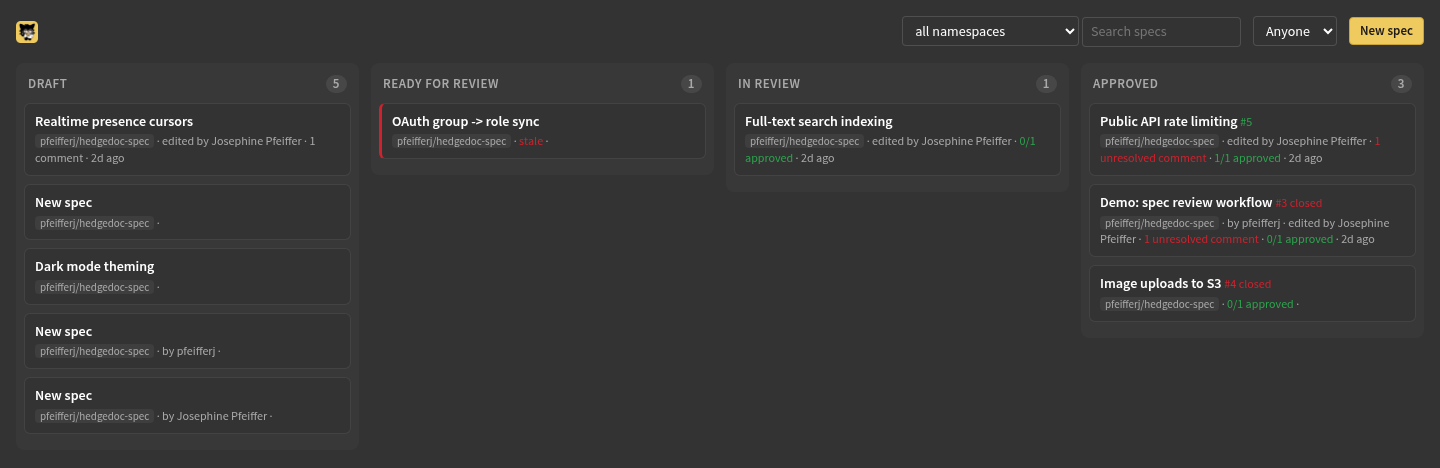
a project is a github repo that receives approved specs as PRs. every spec
belongs to exactly one, via namespace: owner/repo frontmatter or the board's
default. only repos on the operator-controlled allowlist take part in the PR
flow; specs pointing anywhere else get a red chip with the repo name, titled
"Unknown project, PR flow disabled", and never open PRs.
prerequisites
- a github repo to hold the specs. features can live in other repos (see
implementation-reposbelow). - the board's service token (
GITHUB_TOKEN) needs contents read/write and pull requests read/write on the repo. - spec authors have write access on the repo and log in to the editor via github. login asks for no repo permissions, so spec PRs open under the board's service token rather than the author.
steps
- commit
.specs/roles.ymlto the repo's default branch:
approvers:                          # immutable GitHub IDs; login is a display label
  - {id: "12345", login: reviewer}
  - {id: "67890", login: maintainer}
authors: ["24680"]                  # more admitted authors; approvers can author too
approvals-required: 2               # default 1; 0 publishes without approvals
implementation-repos: [owner/app]   # scanned for "implements #N"; default: this repo
# feedback-bot: reviewer           # optional: bot name configured on /bots
commit-prefix: spec                 # PR/commit type; "" for a bare title
areas: [api, design, client]        # optional allowlist; also enables tag routing
specs-dir: specs                    # dir specs land in; "." for the repo apex
a spec picks its area with area: api in the note frontmatter and lands
as specs/<area>/NNN-<slug>.md (specs/NNN-<slug>.md without one). any
area routes by default; declare areas to restrict the set and to let a
matching note tag route as fallback.
-
protect the default branch against deletion and force pushes. require the repository checks that validate published specs. projects using GitHub review can also require CODEOWNERS approval for
specs/**(*in repo mode). projects that finish their review in SpecDoc can enable automatic publication. -
add the repo to the board's
NAMESPACESenv (comma-separated) and roll the deployment. to make it the default for specs with nonamespace:, also setDEFAULT_NAMESPACEon the board andCMD_SPEC_DEFAULT_NAMESPACEon the editor; the two must match. -
verify with
curl https://<board-host>/api/namespaces:repo,push, androlesshould bepass(protectionstaysunknownwhen the token can't read branch protection, which is fine),poller.staleshould befalse.
roles.yml semantics
- approvers and authors are numeric GitHub account IDs; a login is only a
display label. a note publishes, gets bot review and sends notifications only
when the GitHub account that owns it in the editor is in one of the lists;
the note's
ownerandapproved-byfields grant nothing. a missing or invalidroles.ymlstops all of that for the project. approvals-requiredis an integer from 0 to the number of approvers; any other value makes the file invalid.0removes only the approval count; every other publication check still applies. a change to a spec's text or relations, or to this file, stops earlier approvals counting (what changed).- unresolved threads block publication regardless of quorum. reviewers can still record approvals while threads remain open.
areas(legacy key:categories): optional. without it, anyarea:frontmatter routes as its slug and tags never route. with it, an unlisted area is ignored and the first note tag matching the list is the fallback. spec numbering (NNN) is per directory, and the area is pinned when the PR opens, so later frontmatter or tag edits never re-path an existing PR. two notes that share a title get separate numbers, and a retry finds its PR by submission ID and verifies its path and document.implementation-repos: repos scanned forimplementscommits. omit when features land in the spec repo itself.feedback-bot: optional existing bot name, enabled and assigned to this project on/bots. enables amendment proposals after implementation PRs merge. the source repos and target specs must be public; implementation-repo credentials need issues and pull requests read access, plus contents read access in the canonical spec repo. putimplements owner/spec-repo#Nin implementation PR descriptions. project approvers and board admins can pause automation from settings without editing this file. ordinary spec review continues when feedback is paused.auto-merge: optional merge method and required check names with GitHub App IDs. omitted orfalseleaves merging to the repository's normal process. see automatic publication.specs-dir: where specs land..(or"") publishes at the repo apex:<area>/NNN-<slug>.md, nospecs/dir. any other value is a subdir, nesting allowed (docs/specs). changing it orphans already-published specs: they stay where they are, and numbering starts over in the new dir. a subdir also gets a generatedREADME.mdspec map; the apex layout does not, since that file is the project's own.
automatic publication
To let SpecDoc merge publication PRs after editor review, add this to the
project's protected roles.yml:
Use the actual check name and App ID reported by your repository. The example
expects a GitHub Actions check named validate. method accepts merge,
squash or rebase; the repository must allow the chosen method. At least
one check is required. Configure the same checks in branch protection, with
the expected App and an up-to-date branch requirement. Give the publication
App checks read access as well as contents and pull requests write access.
SpecDoc requires those checks to finish successfully on the PR's exact head.
A missing, pending, skipped or failed check leaves the PR open. Before merging,
the board reads the current note, approval receipts and project policy again.
The candidate must still be approved, admitted, public and free of unresolved
discussion. Changing roles.yml, including this setting, requires fresh
approvals.
Only PRs linked to a recorded SpecDoc submission qualify. The branch must contain the authorized specification and any recorded map or supersession update, with matching contents and no other file changes. When the base branch advances without changing those files, SpecDoc updates the publication branch and waits for its new checks. A changed PR head or destination stops that merge attempt. SpecDoc does not reopen a closed PR. A changed initial candidate with fresh approval replaces the pending PR with a new submission; once published, the spec keeps its original identity. Repository protections still apply; configure GitHub review requirements according to whether the project needs a second review there.
This setting does not merge configuration changes, checkpoint requests or standalone map updates. Those follow the repository's normal review process.
repo mode
a repo that holds nothing but specs can commit roles.yml at the repo root
instead of .specs/roles.yml. that flips the specs-dir default to the
apex; set specs-dir explicitly to override in either direction. with the
apex layout, point CODEOWNERS at * instead of specs/**.